Edit Audio Like a Pro with Our Free Online Audio Editor
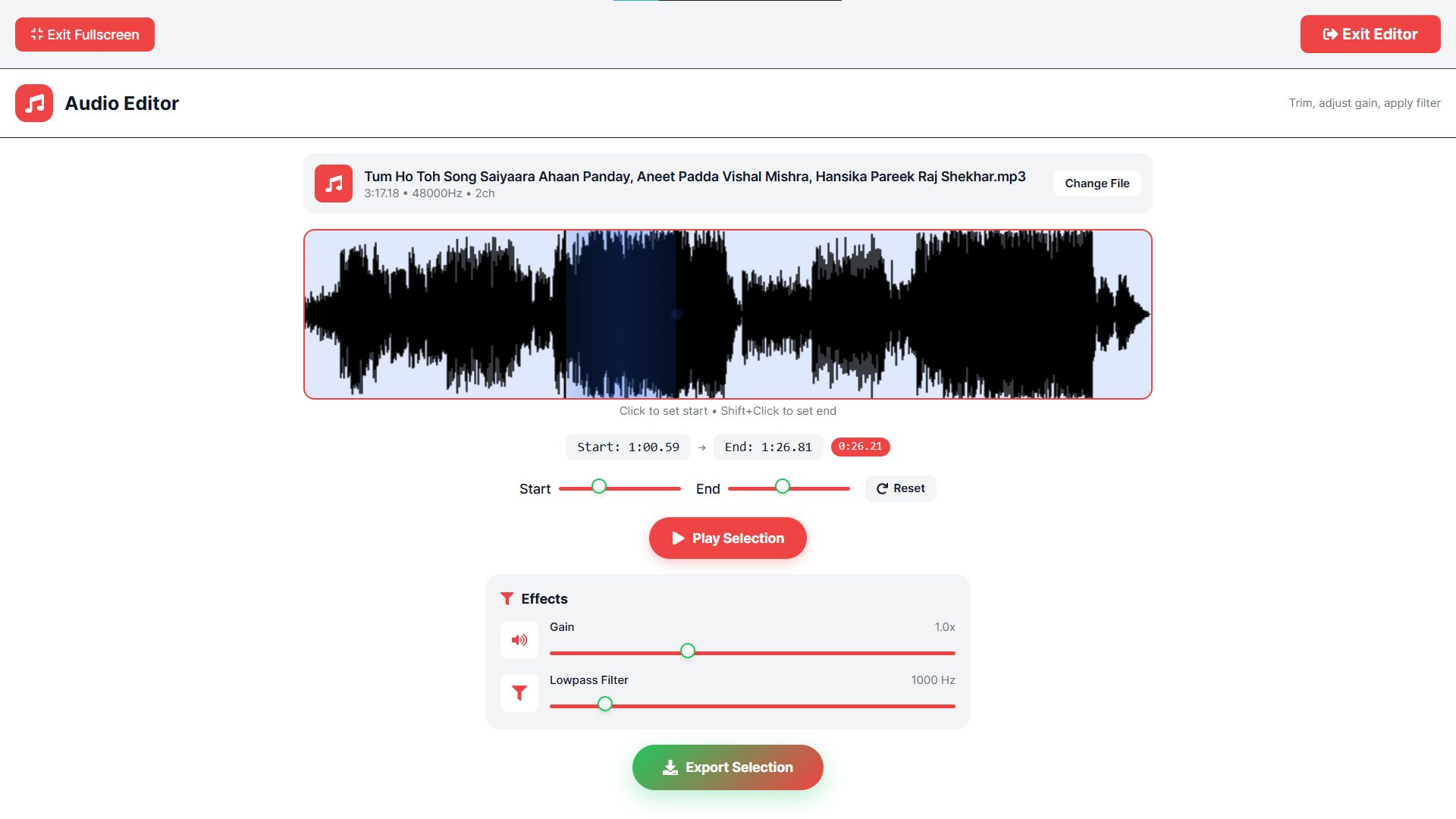
I’ve always loved recording my own podcast, but the audio quality was never quite right. Inconsistent loudness, and awkward pauses made my episodes sound amateur. When I looked for editing tools, I found expensive software with steep learning curves. I knew there had to be a simpler way.That's why I created the AR Edits Audio Editor. It gives you professional-grade audio editing capabilities right in your web browser, completely free and with no sign-up required. You don’t need to be a sound engineer to make your recordings sound crisp and clear.Here’s what you can do with our Audio Editor:Trim: Cut out unwanted silences, mistakes, or long intros with precision using the visual waveform.Adjust Gain: Change the gain of your voice or music to match the tone of your project – great for voice-overs or creative effects. Fine-Tune Loudness: Normalize your volume levels to ensure consistent listening from start to finish. No more sudden spikes or drops. Preview and Save: Listen to your edits in real-time and download your polished audio in high-quality .WAV.Getting started is incredibly simple: Visit AR Edits, select the Audio Editor, upload your file (MP3, WAV, or M4A), use the waveform to select sections for trimming, adjust the sliders for gain and lowpass filter, and download your masterpiece. It takes only minutes to turn a raw recording into a professional track. Elevate your audio for free right now at AR Edits.